
Recursive folder scan
Drop a folder on the window or pick one from the toolbar. Scanning runs in the background, so the window stays responsive even on large directories.
Native macOS utility · Free · Source available
Mika+FileScope scans any folder on your Mac and groups every file by type — then shows you where the space went as a sortable table, charts, an age timeline and a duplicate finder.
No account, no analytics, no telemetry. The app itself makes no network requests — the only connection it opens is the check for updates.
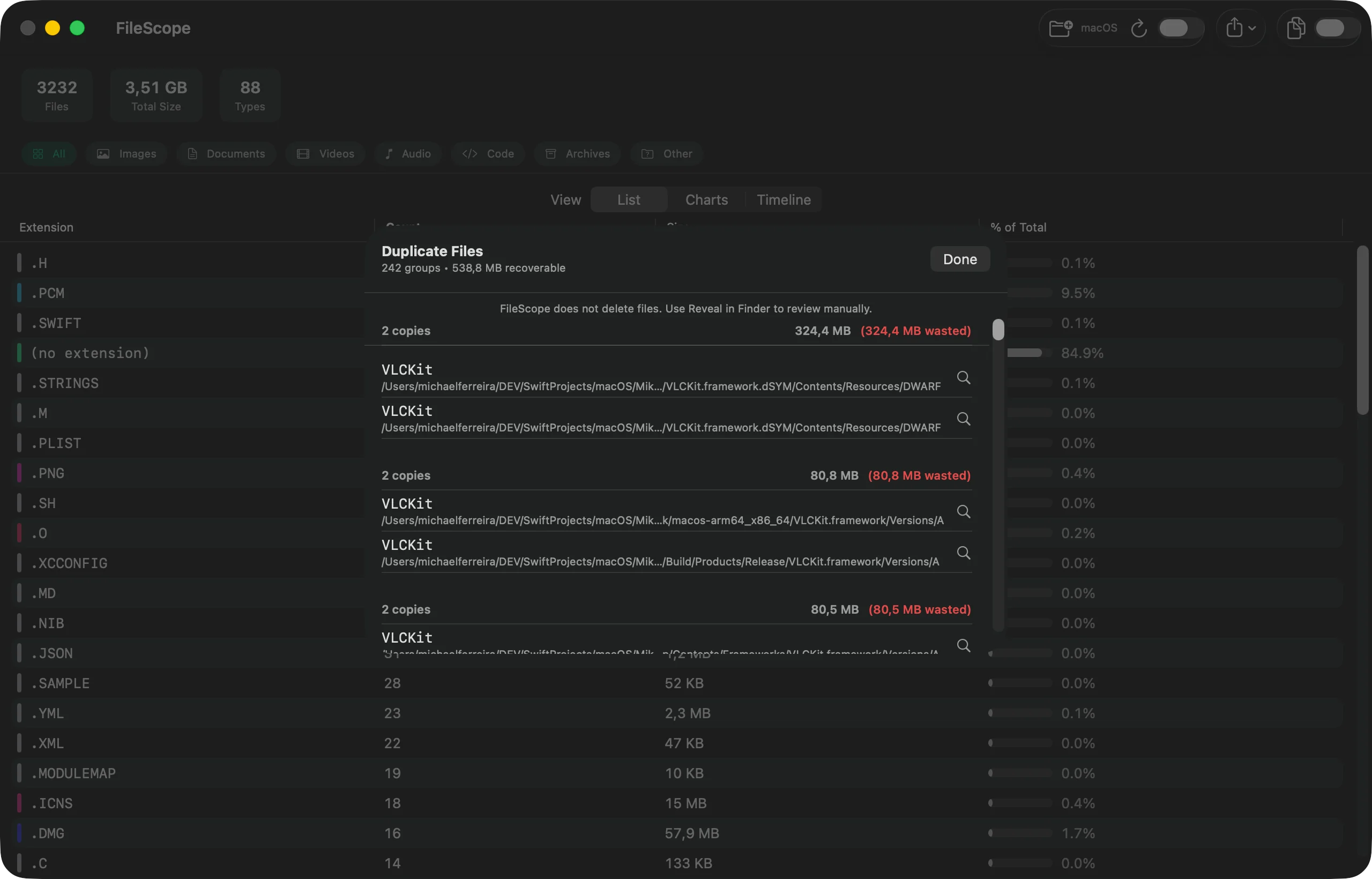
The duplicate finder reports what it found and reveals each copy in Finder. What happens to those files stays your decision.
Written in Swift 6 with SwiftUI and Swift Charts. Read every line on GitHub and build it yourself in two commands — the licence allows that. Redistribution and derived works need permission; see LICENSE.
Eight ways to look at a folder — all from a single scan.
Drop a folder on the window or pick one from the toolbar. Scanning runs in the background, so the window stays responsive even on large directories.
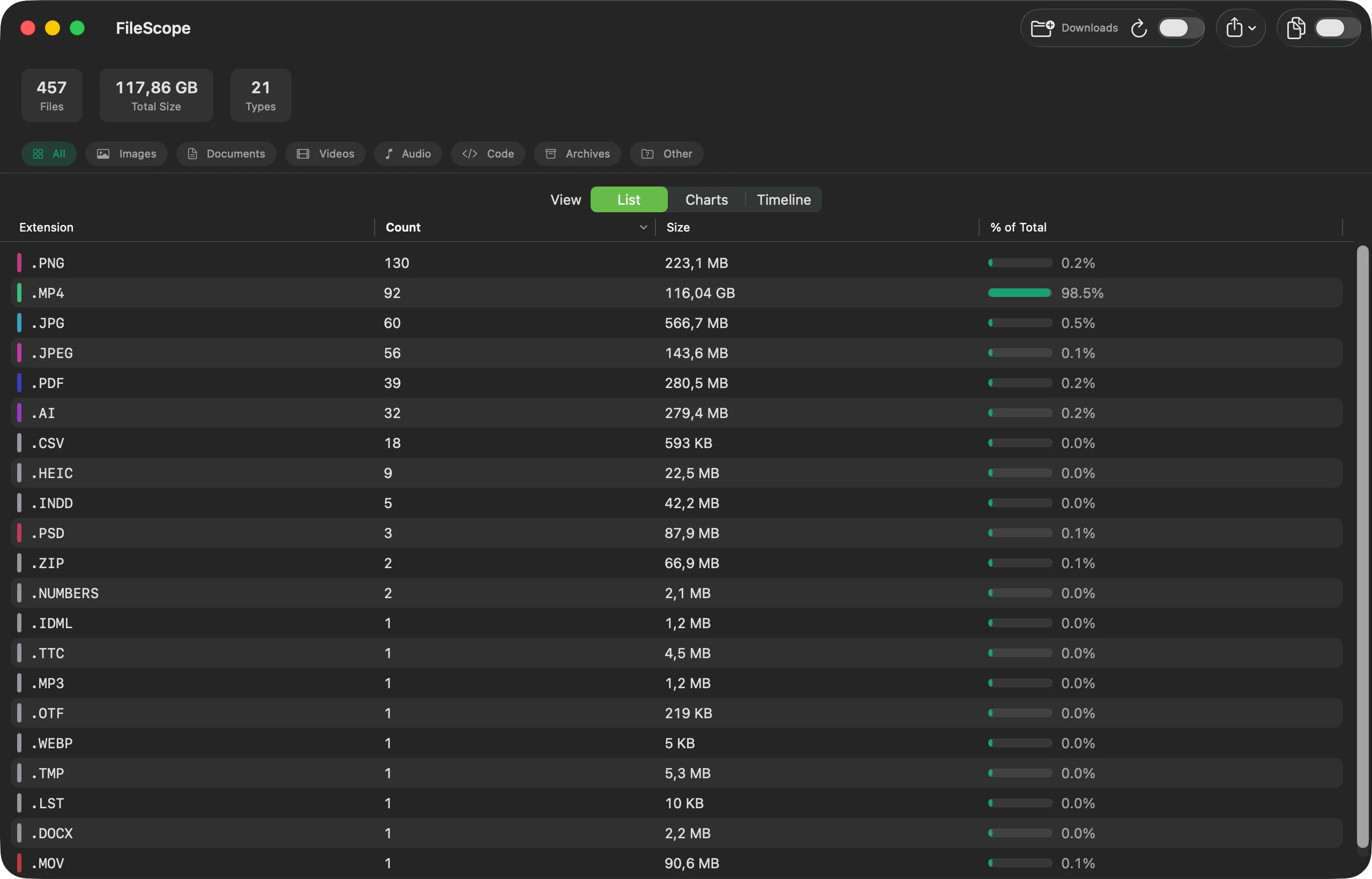
A sortable table of every extension with file count, total size and share of the whole — so the one type eating 98% of the folder is impossible to miss.
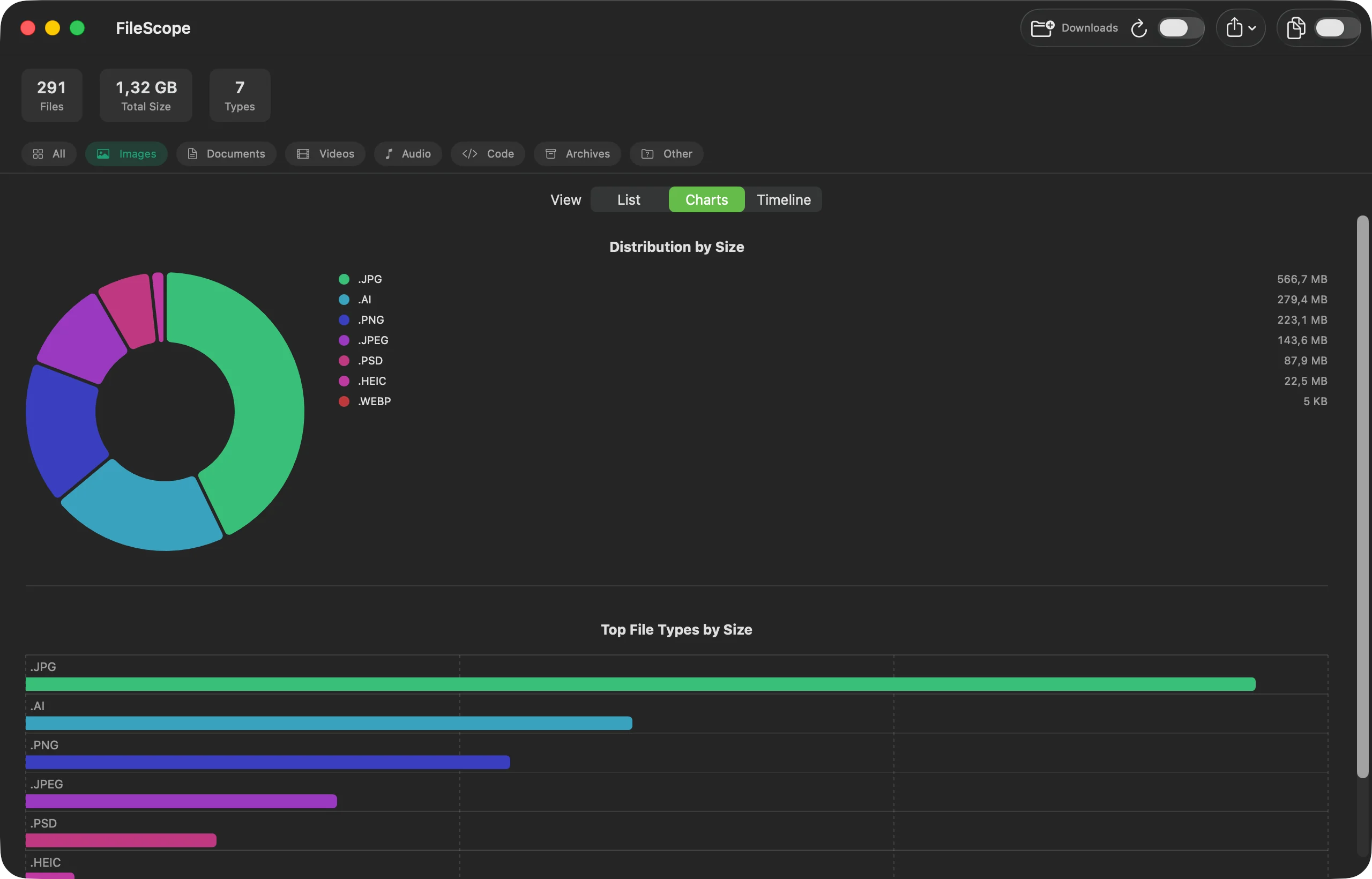
A donut for size distribution and a horizontal bar chart for the largest types — top eight plus a combined “Other”, drawn with Swift Charts.
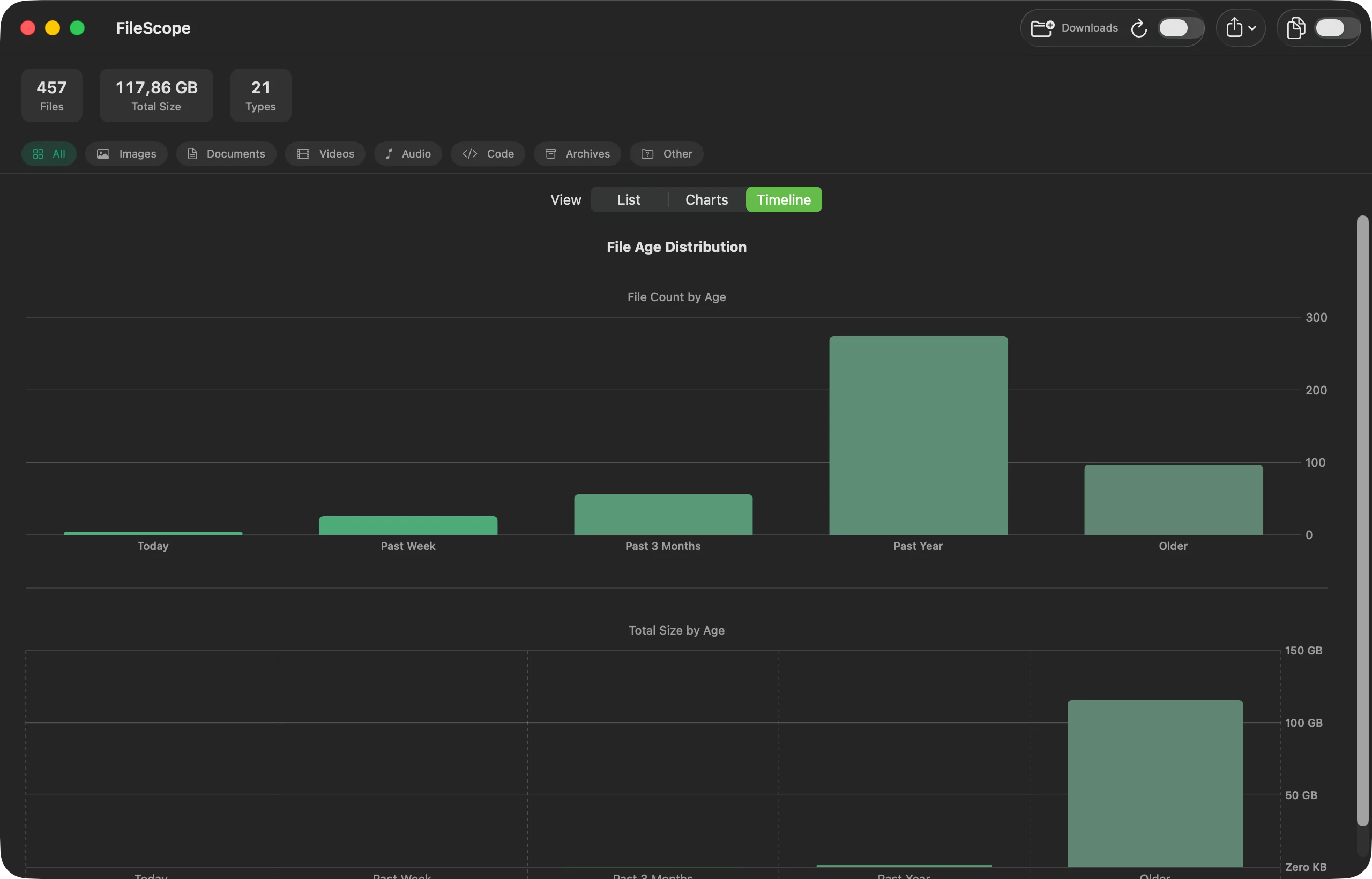
How much of the folder is recent and how much has just been sitting there: Today, Past Week, Past Month, Past 3 Months, Past Year, Older — by count and by size.
Files are grouped by size first, then hashed with SHA-256 in 1 MB chunks. You get the number of copies, the space you could recover, and Reveal in Finder for every single one.
Narrow everything down to Images, Documents, Videos, Audio, Code, Archives or Other. Table, charts, summary and export all follow the filter, and so does the duplicate finder. The age timeline always shows the whole folder.
Save the breakdown as CSV with human-readable sizes and percentages, or as JSON including the folder path, a timestamp and the totals.
Turn on the menubar icon and keep a compact summary one click away — totals plus the top five file types, without the main window.
Also included: hidden-files toggle · drag-and-drop · full Dark and Light mode · Sparkle auto-updates · rescan in one click
Real screenshots — no mockups.
Drag it onto the window or pick it from the toolbar. The scan walks the folder recursively while you keep using the app.
Switch between the table, the charts and the timeline. Filter by category when you want to look at one kind of file only.
Save the numbers as CSV or JSON, or run the duplicate finder and review the copies in Finder.
Two ways to get it. The App Store is the simpler one — no security warning on first launch.
Get it on the Mac App Store Or download the DMG (2.0.0)This applies to the DMG only — the App Store version opens normally. The DMG is signed ad-hoc rather than with a paid Apple Developer ID, so it is not notarized. macOS will refuse the first double-click and warn that it cannot verify the developer. To open it anyway:
You only have to do this once. If you would rather not, build it from source instead — the result is identical.
git clone https://github.com/daumedia/MikaFileScope.git
cd MikaFileScope
swift run